
How to Claim Your Business on ChatGPT: Step-by-Step Guide
On this page
OpenAI now lets businesses claim a profile inside ChatGPT, a little like Google Business Profile, but for answers. I claimed shikha.io the week it opened. Here is every screen, what you need ready, and what it does and doesn't do yet for a business that sells services, not products.
Key takeaways
- Claiming is free. You search your business in Business Hub, add your details, then verify by phone, email, website domain or Shopify.
- The claim alone gets you a draft. To publish changes, see insights or get the blue verified badge, you also need Persona identity verification.
- Persona can ask for a government ID, your registered business details and proof you can represent the business. Keep them ready, or you will stop halfway like I did.
- Product sellers get the most today: product feeds and, in the US, a business agent. Service businesses get a category and a short description, and nowhere to list services yet.
- Claiming doesn't make ChatGPT recommend you more. It controls the facts ChatGPT has about you, which still matters.
Tested on shikha.io, 11 November 2026. Private details in the screenshots are blurred. Facts checked against OpenAI's help article on 13 November 2026.
What is ChatGPT Business Hub?
Business Hub is where you claim your business in ChatGPT, keep its details up to date and see how people interact with it. OpenAI calls the programme Businesses in ChatGPT. You open it from the ChatGPT sidebar.
Once your claim and identity are verified, you can edit your website, description, category, logo and policies, upload products, and see three numbers: mentions, website clicks and discovery topics. ChatGPT may use what you provide when it answers questions about you.
Who can claim, and what each business gets today
You can claim a business if you own it or are authorised to represent it. What you get depends on what you sell and where you are:
| Business type | Can claim? | What you get today |
|---|---|---|
| Online shop, US | Yes | Profile, product feed, insights, and a business agent if eligible |
| Online service business, US | Yes | Profile, insights, and a business agent if eligible |
| Online business outside the US (for example India) | Yes, I did | Profile and insights after Persona. No business agent yet |
| Local store or restaurant | Only an existing US listing | Profile and insights for that location |
Business agents are a separate, optional feature for eligible US ecommerce and online service businesses with a website. They answer questions about your products and policies and link to your site. They can't take payments, bookings or order checks.
What to keep ready before you start
- The ChatGPT account that will own the profile. Use one your business controls. Teammates and agencies get invited from it later.
- Your website address, and access to its DNS settings, or the person who manages your domain.
- A business phone number or business email, if you would rather verify that way.
- Your description, written in advance. The field is short and has a character limit, so draft it first.
- For Persona: a government-issued ID, a phone with a camera, and your registered business address and tax or registration details, matching your official records.
The last point is where I stopped. More on that in Step 7.
Step 1: Open Business Hub and search your business
- Sign in to ChatGPT and open Business Hub from the sidebar.
- Type your business name in Search business.
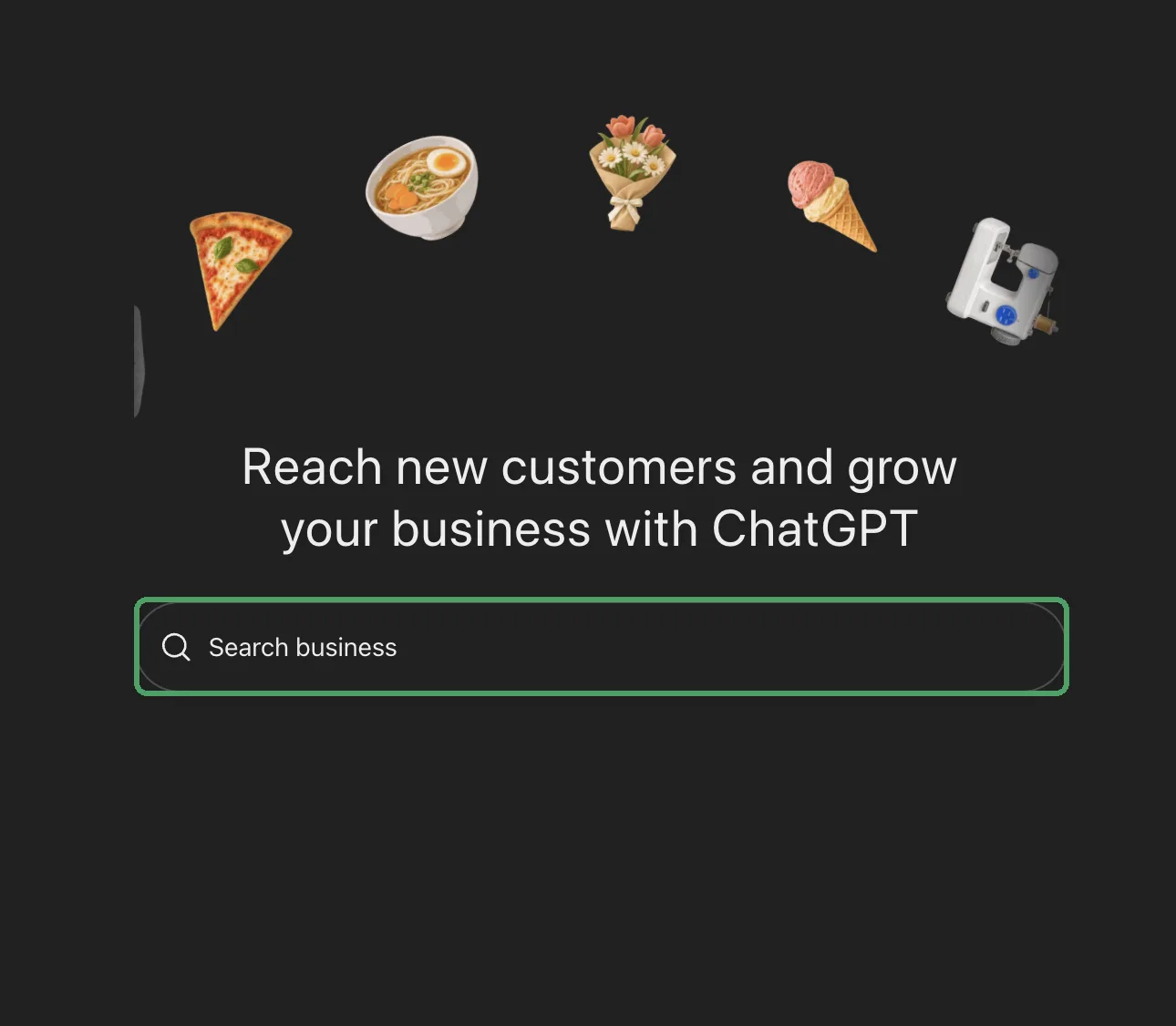
The results look like Google Maps listings, with the address and a photo. When I searched for my client Sarika Fine Jewellery, its Mumbai store came up with the full address. So search the exact name your business uses on Google Maps.
- If your business is listed, select it and confirm the account you will manage it from.
- If it isn't, select Create. shikha.io had no listing, so I created one.
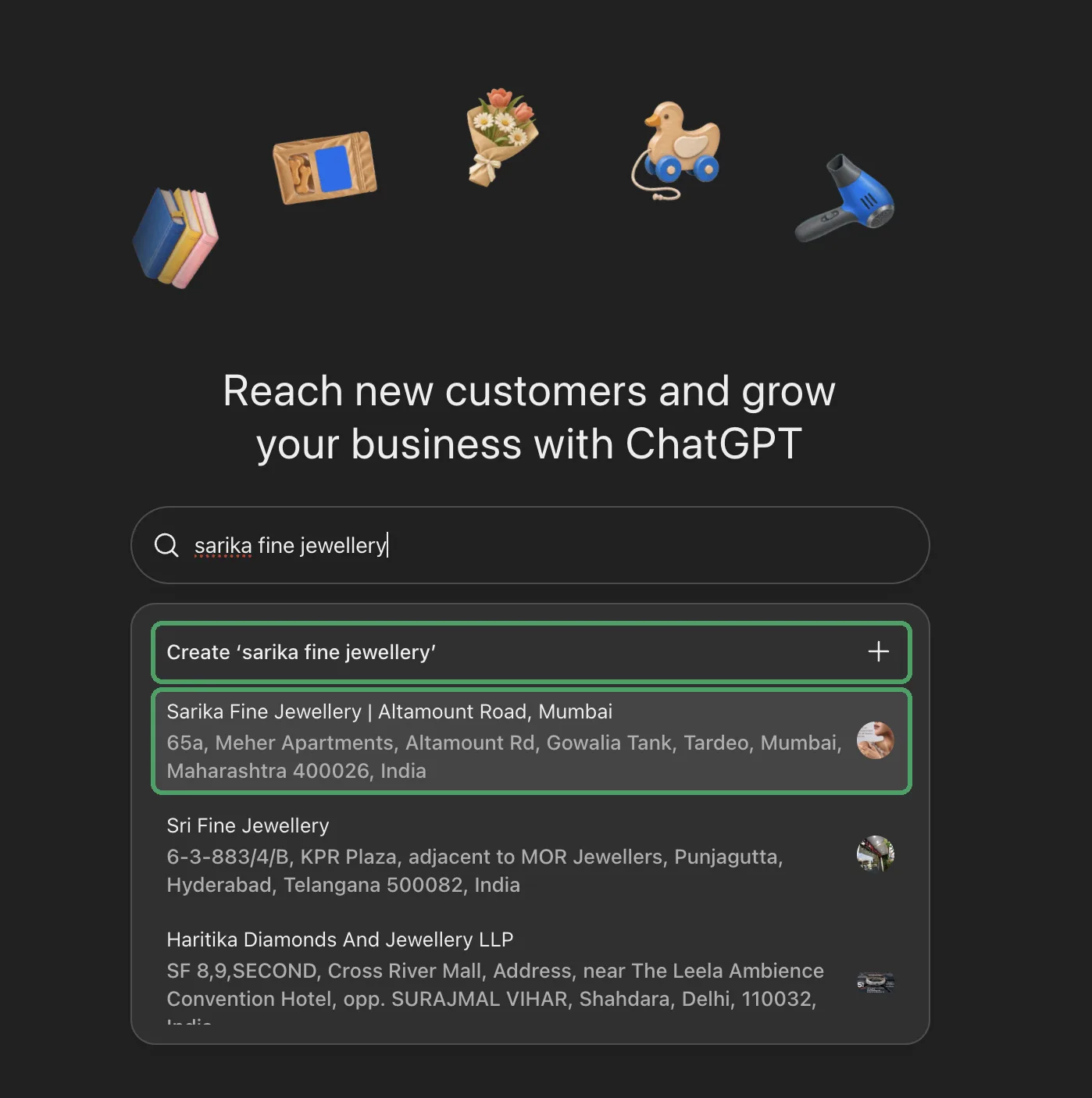
Step 2: Add your business website
Enter your full website address, then select Continue. Use the main domain you want customers to land on.
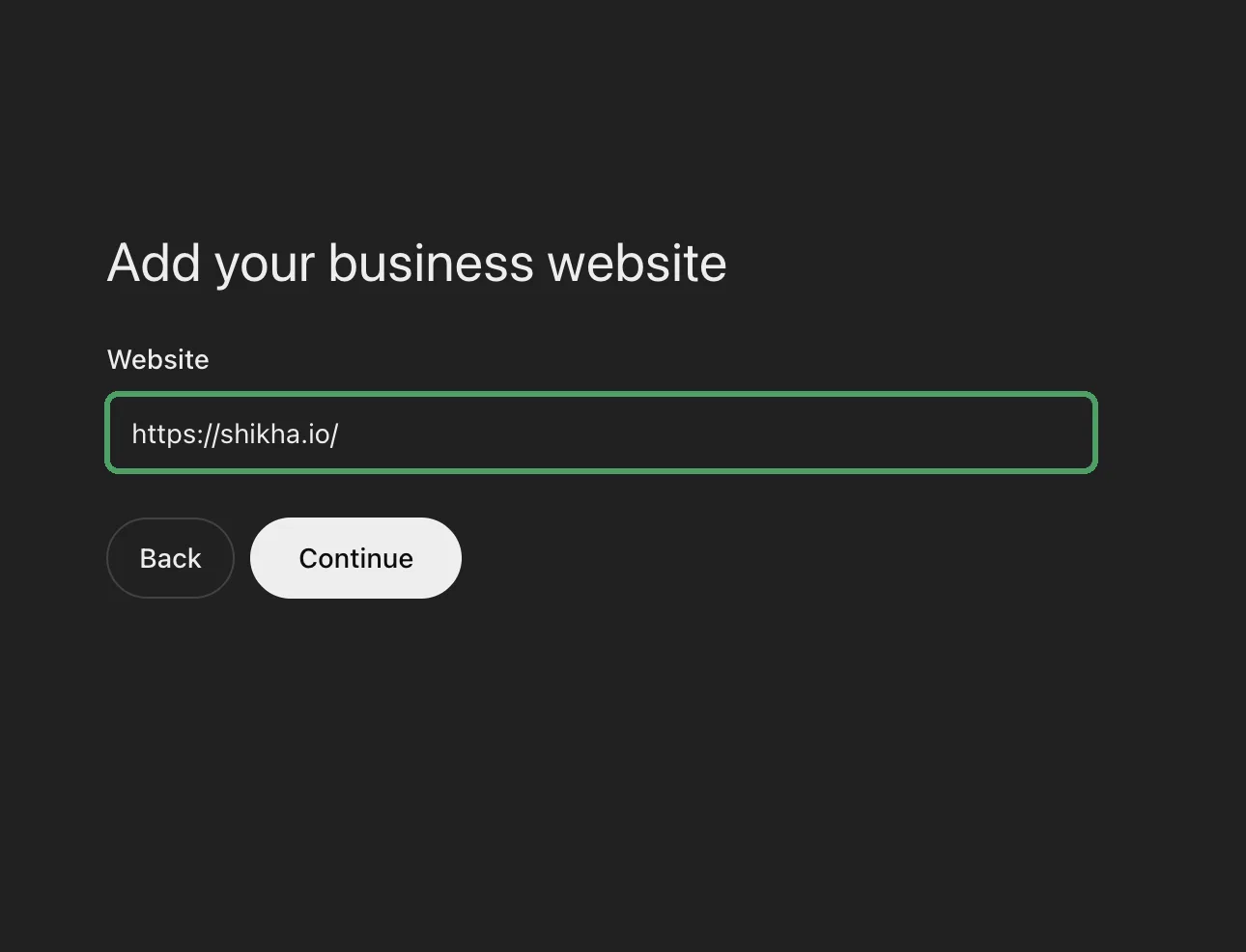
Step 3: Pick a category and describe the business
Choose a Business category, then fill in More about your business. ChatGPT may share this description in conversations, so treat it like the most important two sentences you will write about your business.
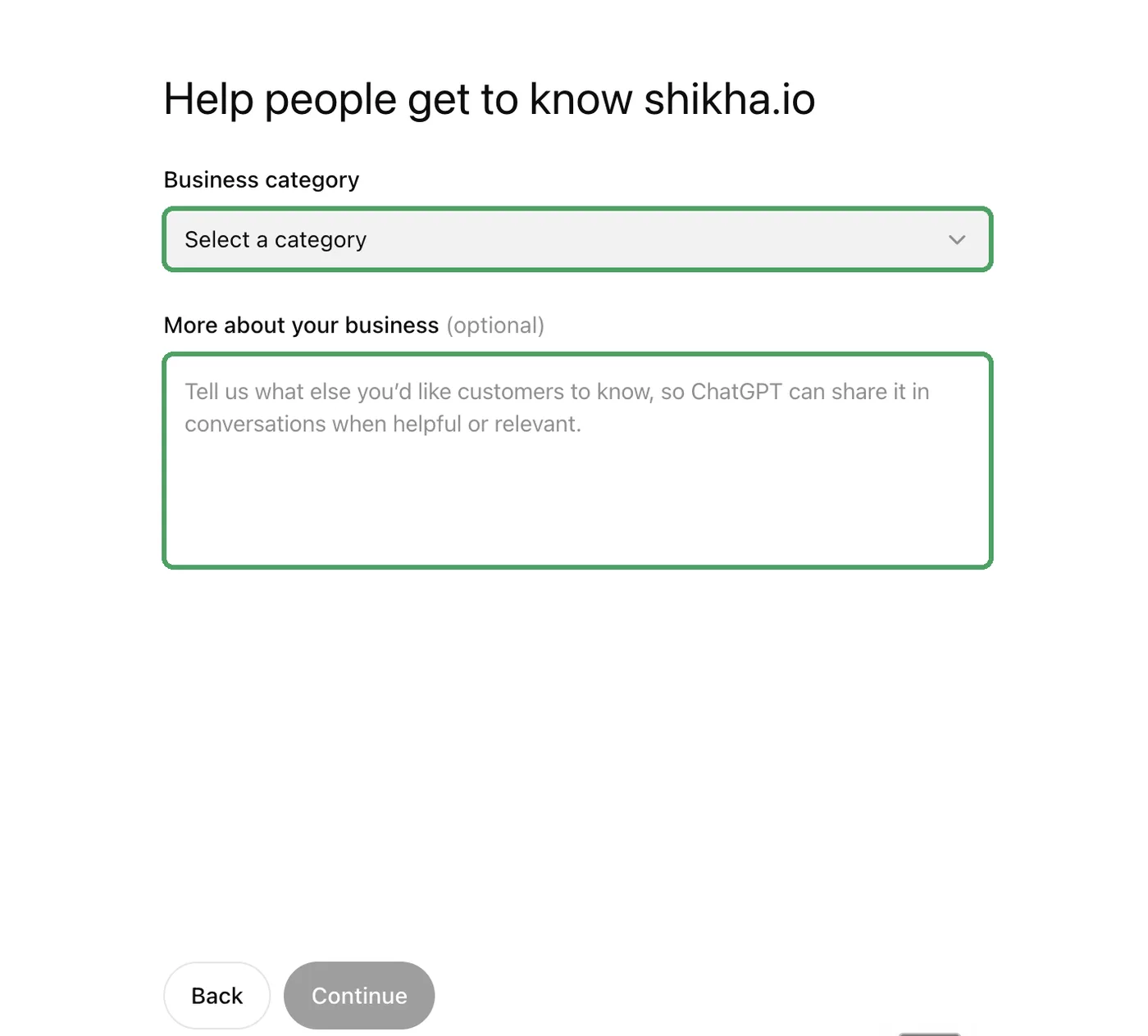
Two things I learned:
- There is no SEO or agency category. I chose Marketing, the closest option.
- The description has a character limit. Mine is 260 characters, and the field wouldn't take more. This is what fitted: "Shikha Kumari is an AI SEO expert and Co-Founder and SEO Head of CrazyDi, a Search Everywhere Optimization agency in Mumbai. She has 8+ years of hands-on SEO experience and has led SEO for brands like Godrej Properties, Dr Fixit, Free Press, SBI General & More"
Write yours in plain facts: who you are, what you do, for whom and where, and one proof point. Keep the name, city and category the same as on your Google Business Profile, LinkedIn and website. AI tools cross-check these before they trust you.
Step 4: Add contact details
Phone number and email are both optional. Add only the ones you want customers to see and use.
Step 5: Verify your claim
ChatGPT shows the verification methods available for your business. The help article lists four:
- Business phone: a code by text message or automated call.
- Business email: a code sent to the email linked to your business.
- Website domain: a TXT record added to your domain's DNS.
- Shopify store: sign in to the store you are claiming.
I used the website domain. ChatGPT gives you 3 values to copy into your DNS settings:
- Type: TXT.
- Name or host: mine was
openai-business-profile.shikha.io. Many DNS panels add your domain automatically, so you may only needopenai-business-profile. - Value or content: a long code starting with
openai-business-profile=. Some guides show a different prefix. Copy exactly what your screen shows. - Save the record, go back to ChatGPT and select Verify domain.
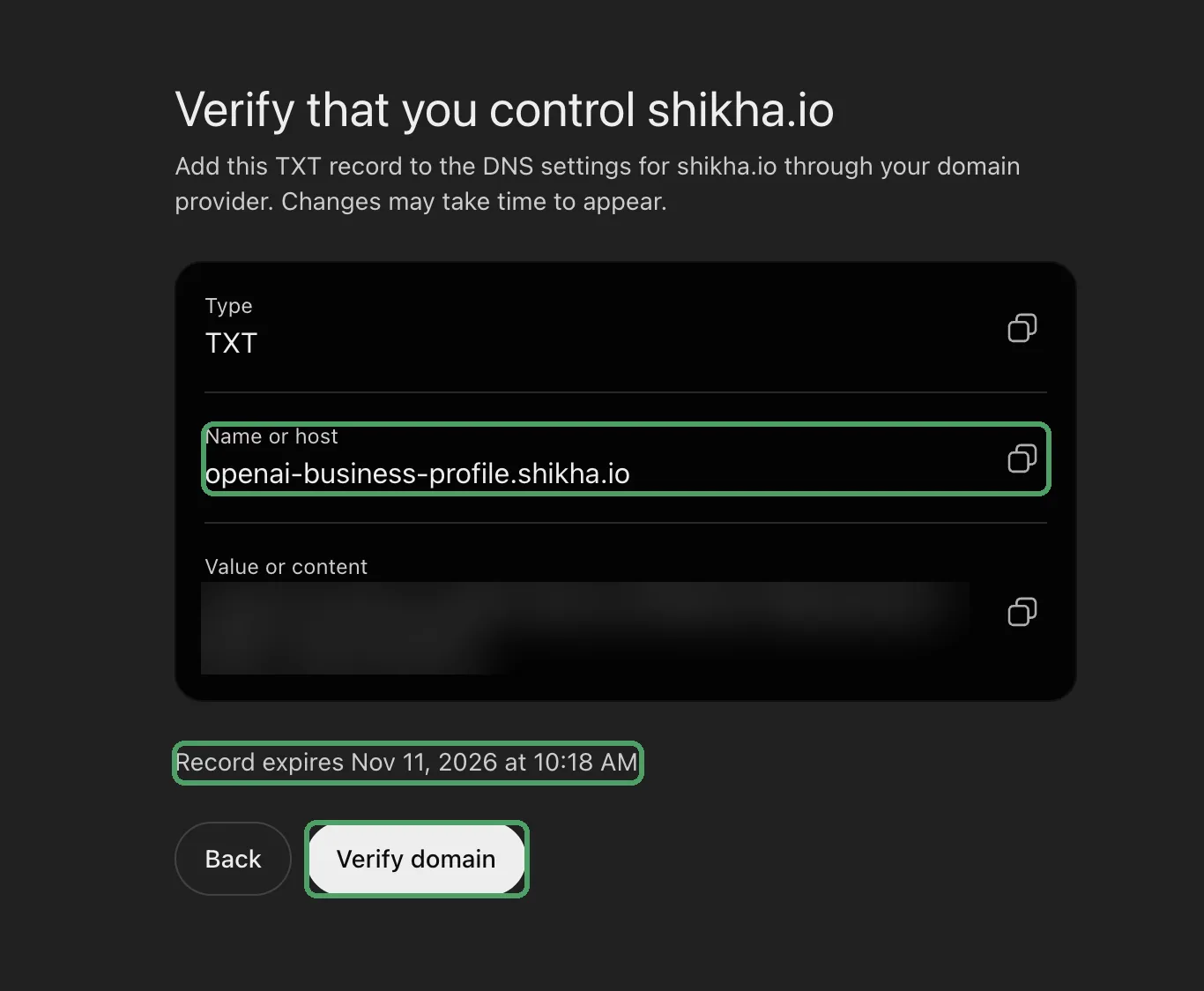
OpenAI then reviews the claim and emails you a decision. While it is pending, you can select Cancel claim.
Step 6: Your draft profile is created
You will see "You've created" your business, saved as a draft, with a preview card on the right. A draft isn't public. You can edit it or delete it.
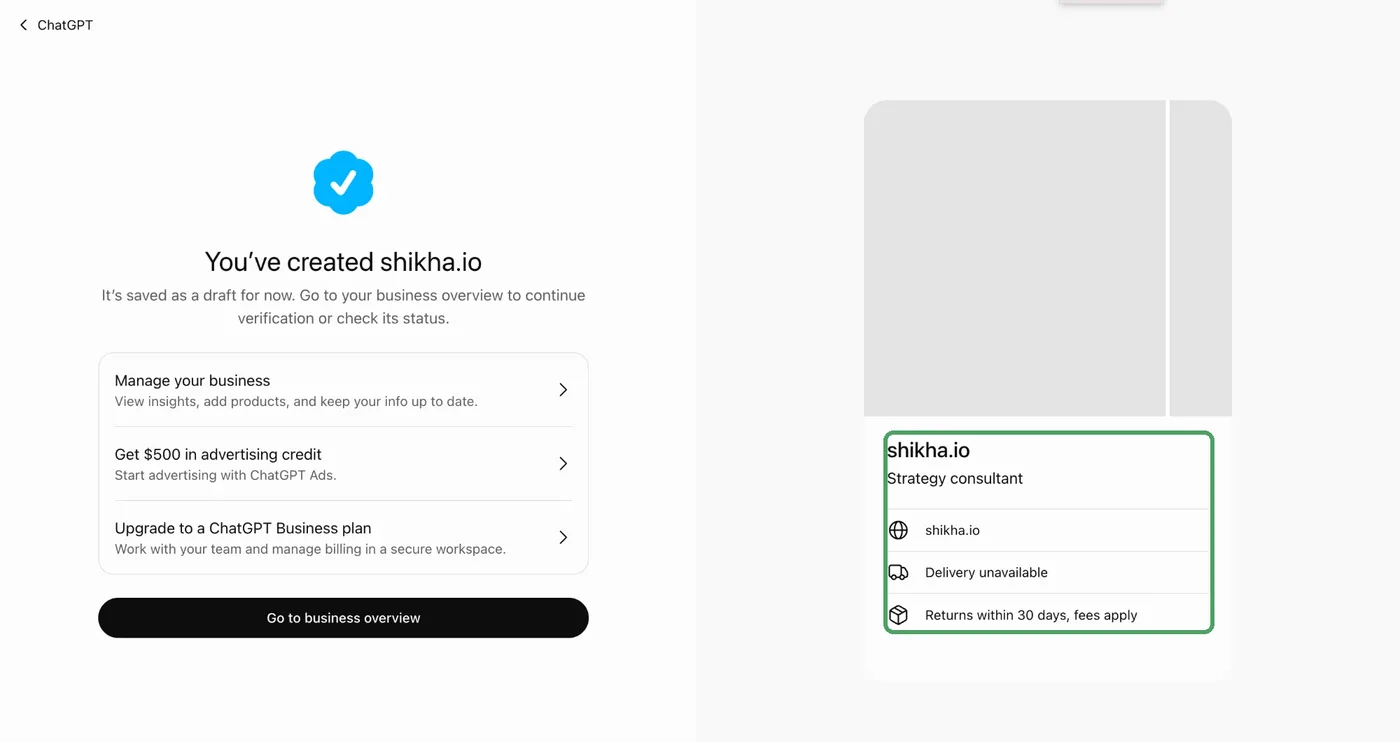
Look closely at the card: it showed "Delivery unavailable" and "Returns within 30 days, fees apply" on shikha.io, which sells no physical products. The form is built for shops. Check these lines before you publish, because ChatGPT can quote them. The same screen offers $500 in ChatGPT Ads credit. That is optional and separate from your profile.
Step 7: Verify your identity with Persona
Your business overview now shows a banner: Verify your identity with a government-issued ID. Until this is done, you can't publish changes to your business information, view insights, connect a product feed or create a business agent.
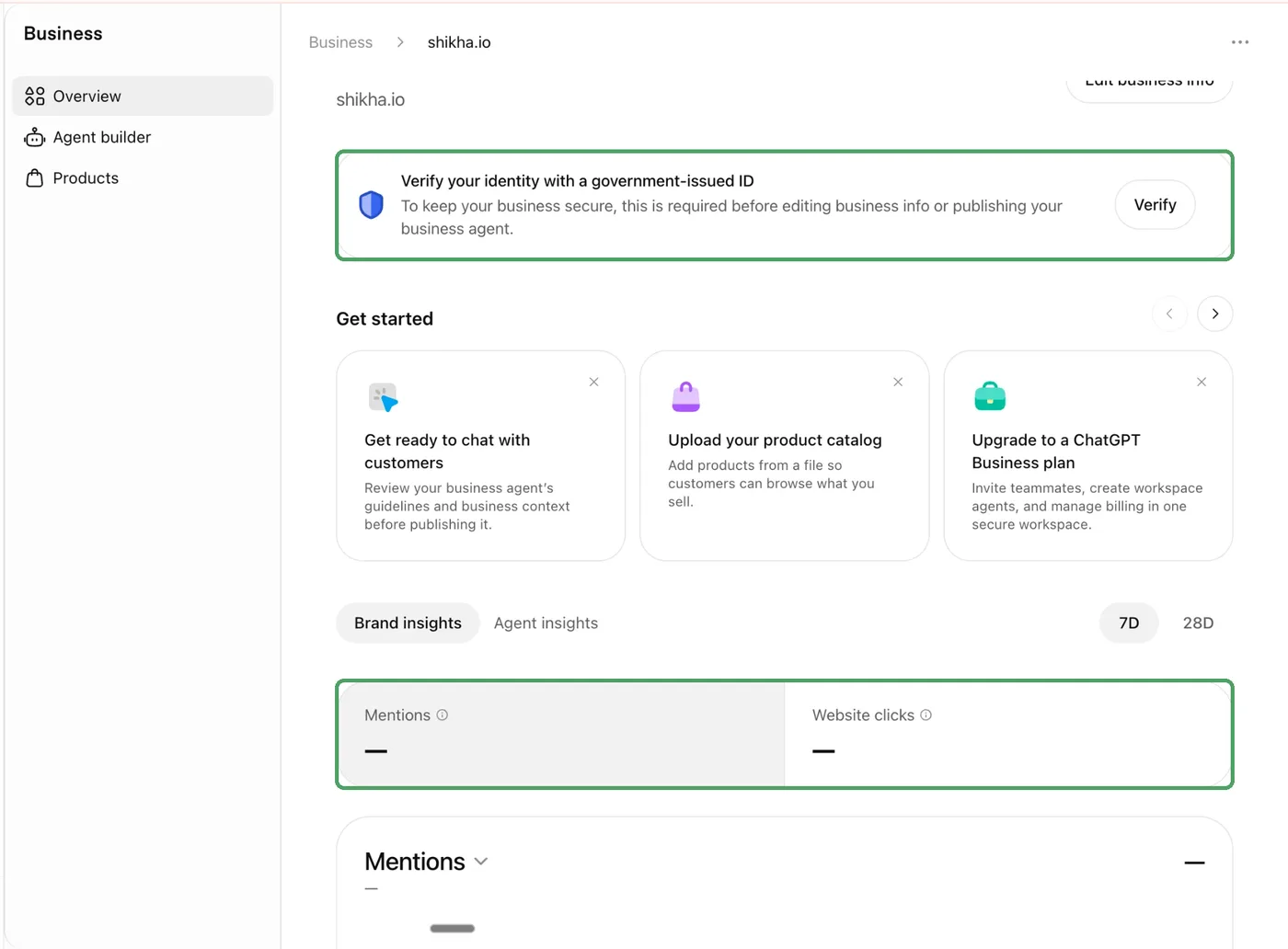
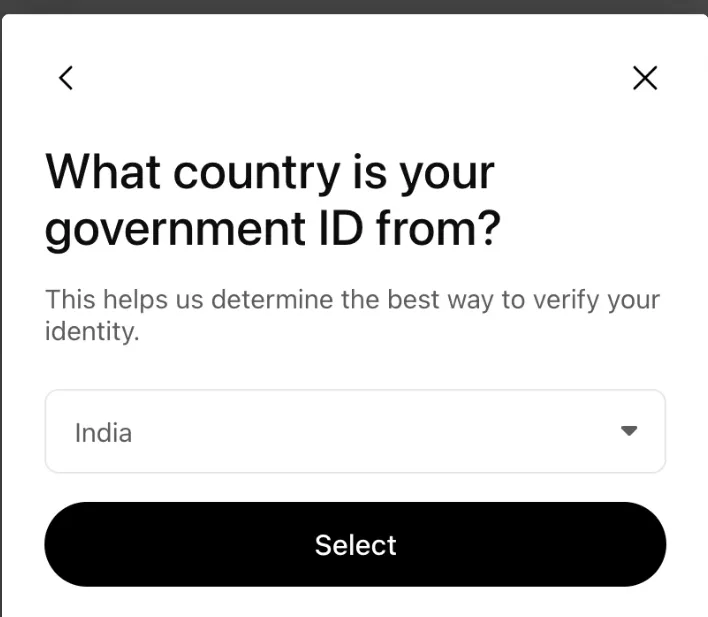
- Select Verify, then choose the country of your government ID. India is on the list.
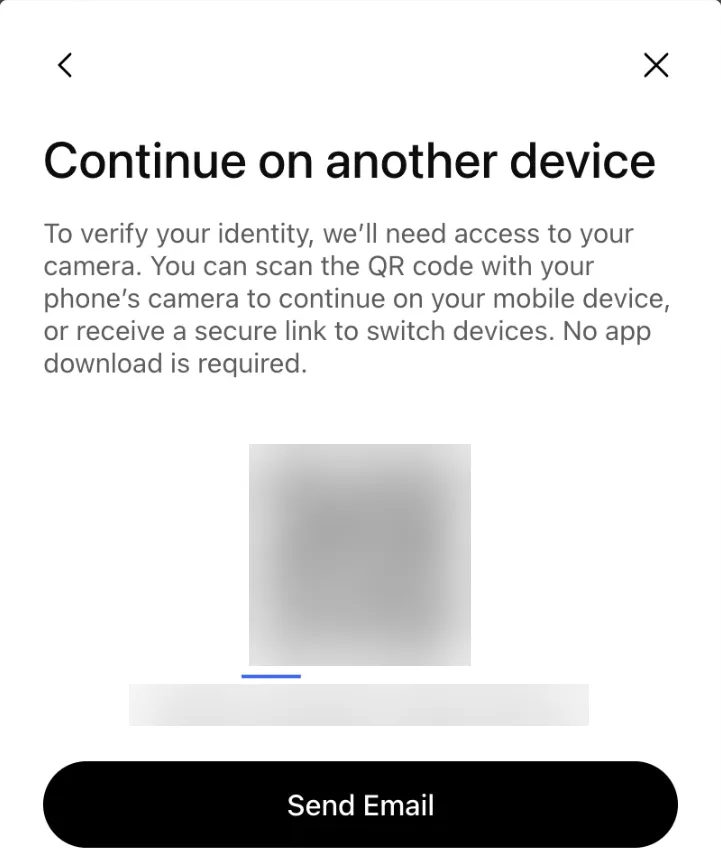
- Persona needs your camera. On a laptop, scan the QR code with your phone, or ask for a secure link by email.
- Submit what Persona asks for. OpenAI's help article says this can include a government-issued ID, business registration information and proof that you're authorised to represent the business.
- Wait for OpenAI's email. Submitting doesn't mean approved.
Where I stopped: Persona asked for my registered business address and tax details, and I didn't have them in hand. So shikha.io is still a draft, with no blue badge and no insights. If you run your business under a company, keep its registration number, registered address and tax details ready before you start, and make sure they match your official records exactly.
Two things to know before you finish: the verified badge (the blue check) only appears after Persona is approved, and a new profile created through Persona is published automatically when OpenAI approves it. There is no separate publish button, and published profiles can't be deleted. So check your description, category and policies first.
What you get after verification
- Edit your profile: website, description, category, logo, delivery and return policy, cover photo. OpenAI reviews each change before it appears.
- Insights for the past 28 days: mentions, website clicks and discovery topics. For an online business, a mention only counts when ChatGPT references your website. Your brand name alone doesn't count. A blank number can mean the count is below the reporting threshold, not zero.
- Product feed, if you sell products: a CSV that follows OpenAI's product feed specification, a hosted feed URL, or Shopify. It shares prices and availability.
- Business agent, if you are an eligible US business: a chat that answers questions about your products and policies, which you review before you publish it.
- Team access: the admin can add teammates and give an agency access.
As an SEO, I would read the insights next to your own data. In GA4, check referral traffic from chatgpt.com. My guide to website tracking tools shows how to set that up.
Service businesses: what you can and can't do yet
This is the part most guides skip. If you sell a service, like consulting, an agency, a clinic or coaching, here is the honest picture today:
- There is no way to add services. Products get a feed with prices. Services get one category and a short description. I expect a services option to come, but it isn't there yet.
- The policy fields are built for shops. Delivery and returns appear on your profile whether or not they apply to you.
- The business agent is for eligible US businesses only.
Should you still claim? Yes. It's free, it stops someone else from claiming your name, and it puts your own description into ChatGPT. Then spend your real effort on what ChatGPT reads when it decides who to recommend: your website, your Google Business Profile, reviews, and what other sites say about you.
Does claiming your business make ChatGPT recommend you more?
No. OpenAI says plainly that claiming lets you manage your information but doesn't guarantee more visibility or give you control over ChatGPT's independent answers. It also says advertising doesn't influence those answers.
Claiming is the floor, not the strategy. To see where you stand today, ask ChatGPT about your own category with my free AI Answer Test: 9 prompts. If a competitor shows up and you don't, the fix is on your website and across the web, not in Business Hub.
Common problems and fixes
| Problem | What to do |
|---|---|
| Can't find your business | Search the exact name from Google Maps. Online businesses can use Create. Local stores can only claim existing US listings for now. |
| You see Contact support | The listing is locked. Select Contact support to ask for access. |
| Someone else already claimed it | Open the profile, select the three-dot menu, then Dispute ownership, and verify with Persona. |
| TXT record won't verify | Check the host isn't doubled (for example openai-business-profile.shikha.io.shikha.io), the value is pasted in full, and give DNS some time. |
| Persona failed or expired | Follow the email. Use Try again if offered, with details that match your official records. |
| Your changes aren't showing | OpenAI reviews every change first, and ChatGPT may also use other sources. Give it time. |
Frequently asked questions
Is claiming your business on ChatGPT free?
Yes. Claiming, verifying and managing your profile cost nothing. You don't need an ads account or a paid ChatGPT plan. OpenAI does offer ad credit after you create a profile, but advertising is a separate, optional step.
Can a business in India claim its profile on ChatGPT?
Yes, if it runs online. I created the shikha.io profile from India, and Persona lists India as an ID country. Local stores and restaurants can currently claim only existing US listings, and business agents are only for eligible US businesses.
How long does approval take?
OpenAI reviews both the claim and the Persona submission and emails you a decision or a request for more information. The help article gives no fixed time. Until Persona is approved, you can't publish changes or see insights.
Can my agency manage the profile for me?
Yes. The admin who claimed the business can add teammates and give an agency access from Business Hub. Each person uses their own ChatGPT account. Claim it under an account your business controls, then invite the agency, never the other way round.
Can I delete my ChatGPT business profile?
Only while it is a draft: open the profile, open the three-dot menu and select Delete draft. Once a profile is published, OpenAI Support cannot delete, unpublish or hide it.
Do I need Shopify?
No. Shopify is one way to verify and to share products. You can claim with your business phone, business email or website domain instead.
Claim it this week, then work on what ChatGPT reads
Claim your business now: it's free, and the claim itself is a handful of screens. Keep your registration and tax details ready so you don't stop where I did. Then get honest about whether ChatGPT recommends you today, and why.
That second part takes 12 minutes. Here is the test I give every founder before we talk strategy.
The AI Answer Test: 9 prompts to check if ChatGPT recommends you
Nine copy-paste prompts. Run each one in ChatGPT, Perplexity and Gemini, in a fresh chat or incognito window so your own history doesn't flatter you. Mark every answer with one word: Named, Wrong or Absent.
Score out of 27 (9 prompts x 3 engines): 21 to 27 strong, 11 to 20 patchy, 0 to 10 invisible where buyers look. Most good businesses I check land in the middle.
Run it once now as your baseline. After your Business Hub profile is verified, run prompt 2 again and check whether ChatGPT's answer matches the description you wrote. Then re-run all nine every 90 days.
Get all 9 prompts, freePosted in AI Visibility
Does ChatGPT recommend your business?
In 30 minutes I will check what ChatGPT, Perplexity and Google's AI answers say about you and your competitors, and tell you what to fix first. No pitch.
Free AI Visibility Audit